
ProjectsmacOS · Alpha
Every project in one place, wherever its files live: its context, a fast way back in, and the same structure for the next one.
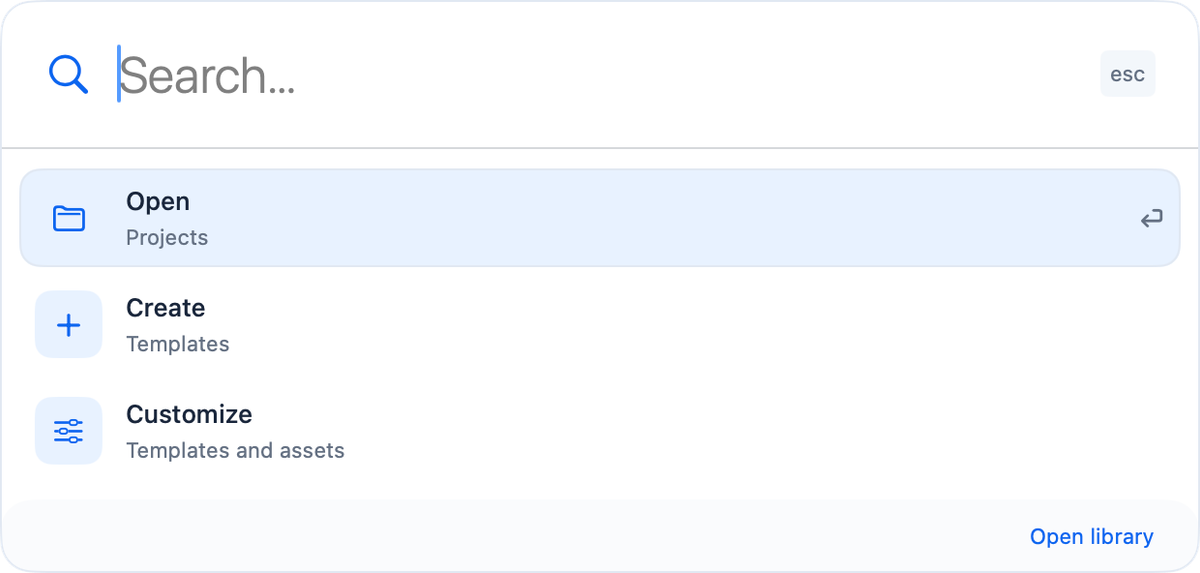
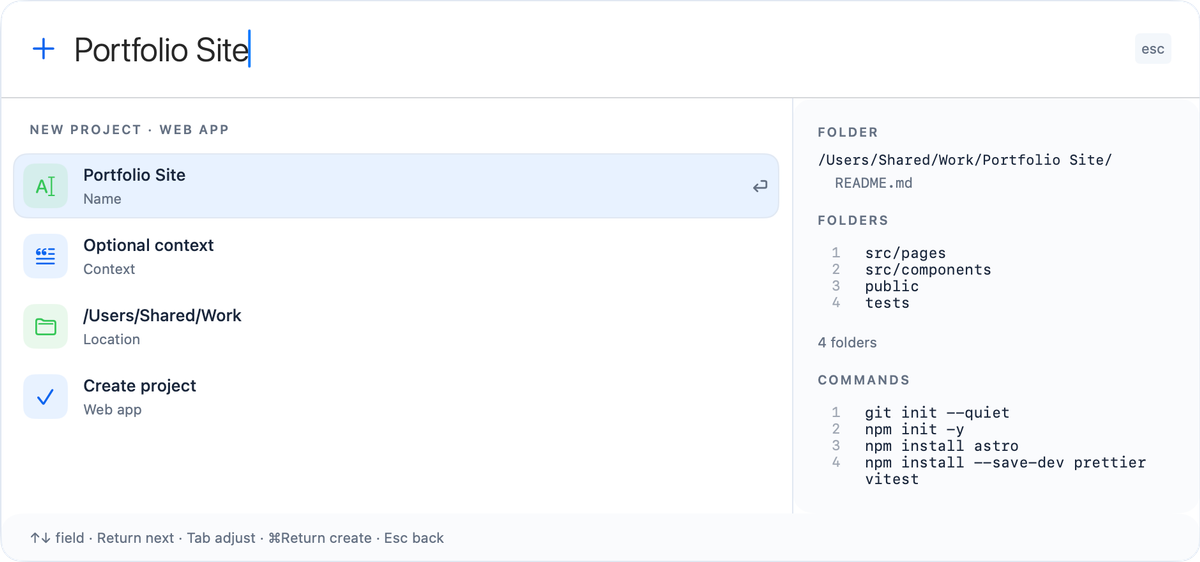
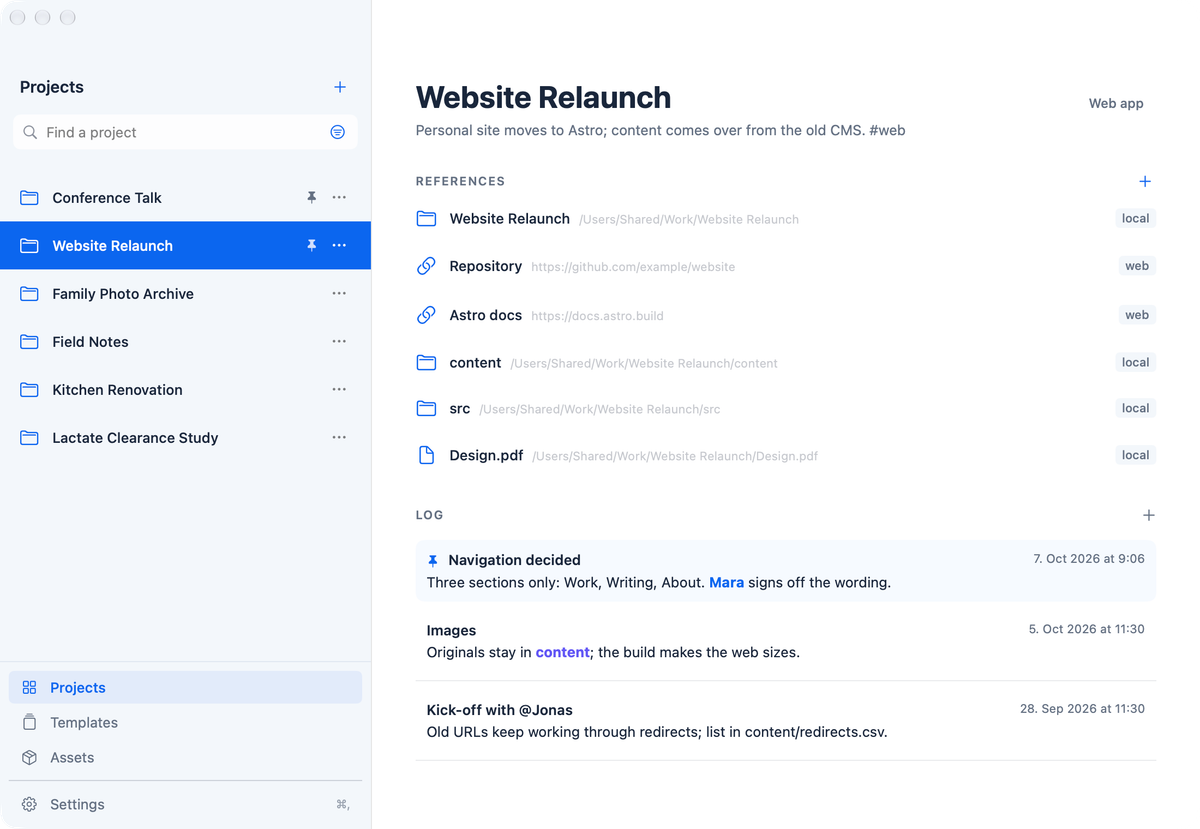
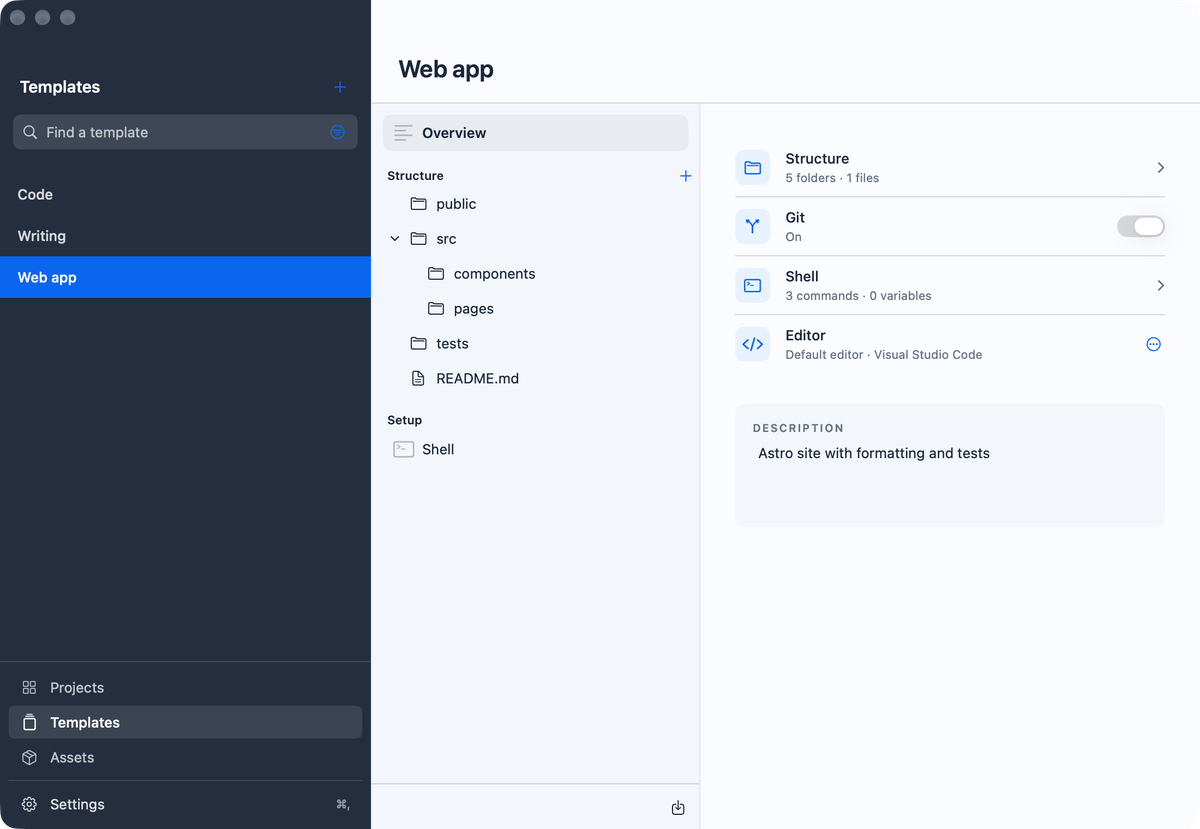
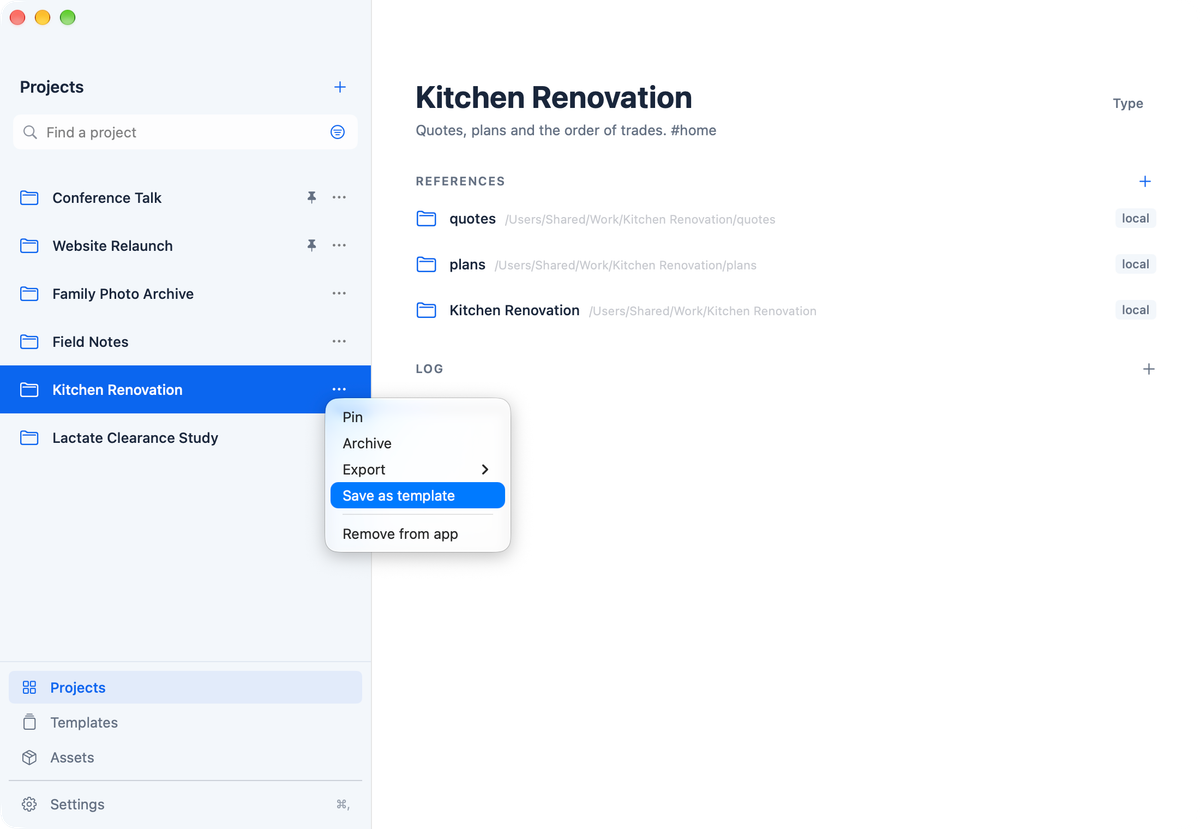
A project’s code, data and documents are spread over folders, disks and websites, and each folder documents its own details. What no folder holds is the level above: who commissioned the project and why, which projects belong together, and how it was set up so its results can be reproduced. Projects keeps that context for every project, brings any of them back in a keystroke with ⌃⌥P, wherever its files are, and starts the next one from your own templates and reusable assets, with every folder, file and command shown before anything is created. Nothing is moved, and everything stays on your Mac.
- Version
- 0.9.6
- Released
- 18 Oct 2026
- Size
- 4.7 MB
- Requires
- macOS 27.0 or later
- What's new
- A project can link other projects. Work that spans several systems stays one project for its idea, approvals and decisions, and links the project of each system. Choose Link project… or New linked project… in the references menu; linked projects appear above the references, and each linked project shows which projects it is part of.
- Quick Access lists a project's linked projects after its own references, so Return opens the folder of the one you want to work in.
- A log entry can point to files, such as the PDF that records a decision or a chart. Choose Link File in the log editor or drop a file on the text. Each file shows as a small link under the entry; the app never copies it, and a missing file is marked and can be relinked.
- Before a command runs for the first time, the confirmation names the folder it runs in.
- Remove link can be undone, for references and for linked projects.
- Syncing a copy compares the folders again right before it changes anything, and stops if the result differs from what you confirmed. A folder discarded after a failed setup goes to the Trash.
- The Markdown export lists linked projects and the files of each log entry, and shows apps and scripts as paths rather than links.
- VoiceOver reads the date and files of each log entry, offers its actions, and announces confirmations.
- Data
Everything stays on your Mac; nothing is sent to the developer, and your files are never moved, renamed or deleted. See the privacy policy.
- Background
- Legal