Every project I work on has its own documentation: a README, comments, notes in the repository. They describe the code, the data and the decisions inside the project, and that is exactly where they belong.
What they cannot describe is the project from the outside. Who asked for it, and what is it meant to achieve? Which other projects belong with it: the analysis, the paper that reports on it, the talk about the paper? How was it set up, so that its results can be reproduced and the next one can follow the same structure? And, more often than I would like to admit: where is it? Code on the internal disk, data on an external drive, the manuscript in Documents, the repository on GitHub.
That level above the folder has no home. It lives in my head, in old emails and in the folder I happen to remember. The cost is small each time and large in total: searching for a project before I can work on it, explaining its background again, rebuilding the setup of the last project by hand and getting it slightly different.
Projects is the app I built for that missing level. It does three things.
Find any project in seconds
Press ⌃⌥P in any app and Quick Access appears. Type a few letters and it finds the project by its name, its summary or its log, wherever its files are. Return opens it in the app you work with: Finder, VS Code, Xcode or Terminal. Each of its references has its own row: the working folder, the data drive, the repository on GitHub, a note in Obsidian.
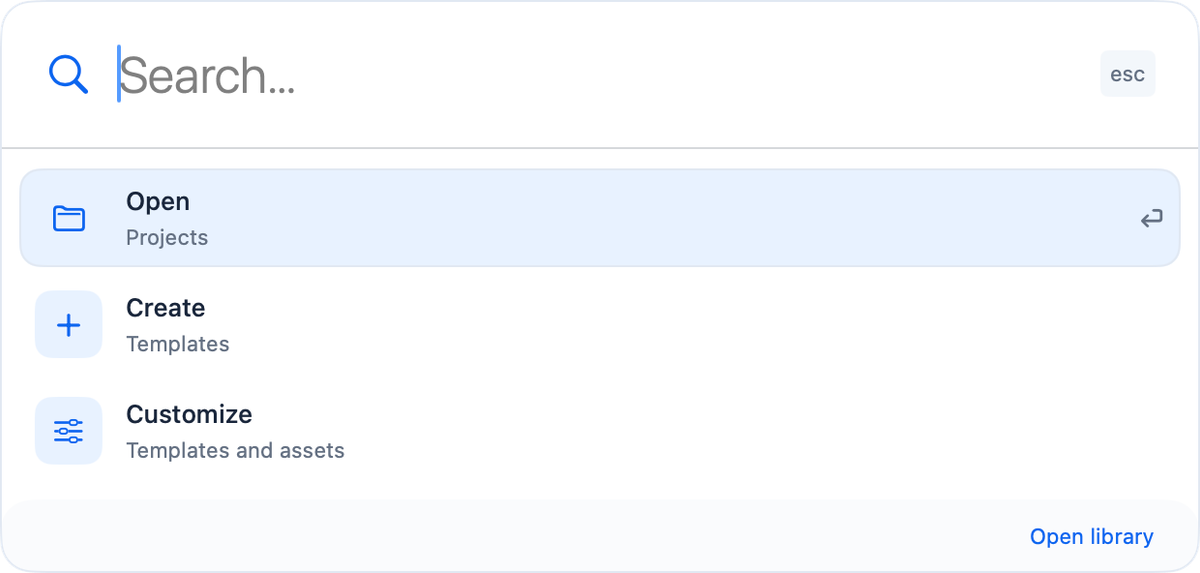
Quick Access offers only three things on purpose: open a project, create one, or customize templates and assets. It comes to you and disappears once you are where you wanted to be. Projects also appear in Spotlight, and Shortcuts can open them, add log entries and create new ones.
Keep the context in one place
Each project gets a short summary, a running log and its references: folders, files and websites, on any disk. The summary says what the project is for, the log what was decided and by whom. @names and #tags are recognised, so a shared tag brings related projects up together. The working folder is marked, and it is where Quick Access, Terminal and new files go.
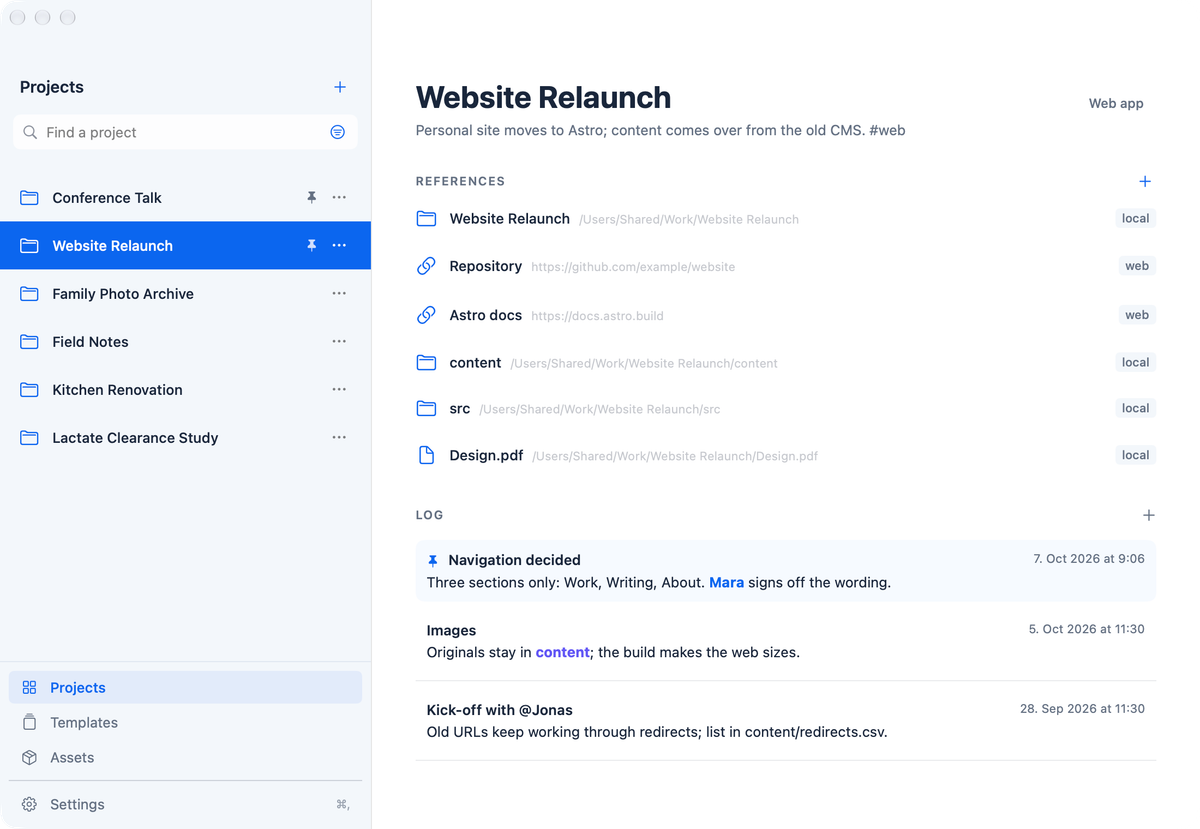
None of this is written into your folders. Projects never moves, renames or deletes a file, and the folders keep their own documentation as before. Whenever the context should travel, a project can be exported as a Markdown or Obsidian note.
Start the next project the same way
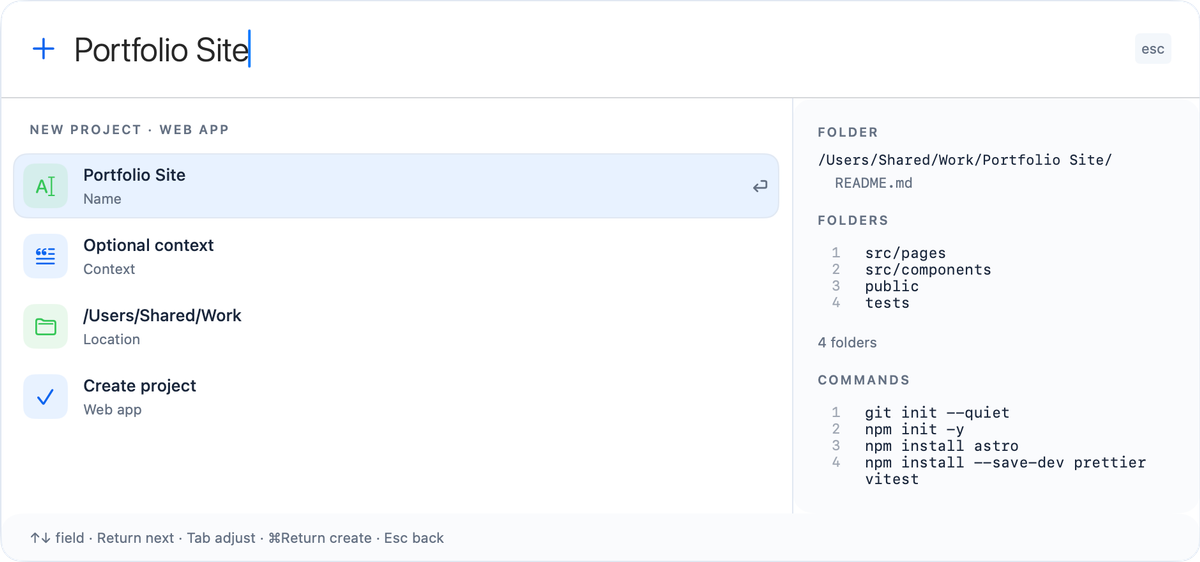
A template is a recipe for a new project: a folder structure, a few files, assets, an optional Git repository and, if you want, setup commands. Before anything is created, Quick Access shows every folder, every file and every command, in order. Nothing happens that you have not seen.
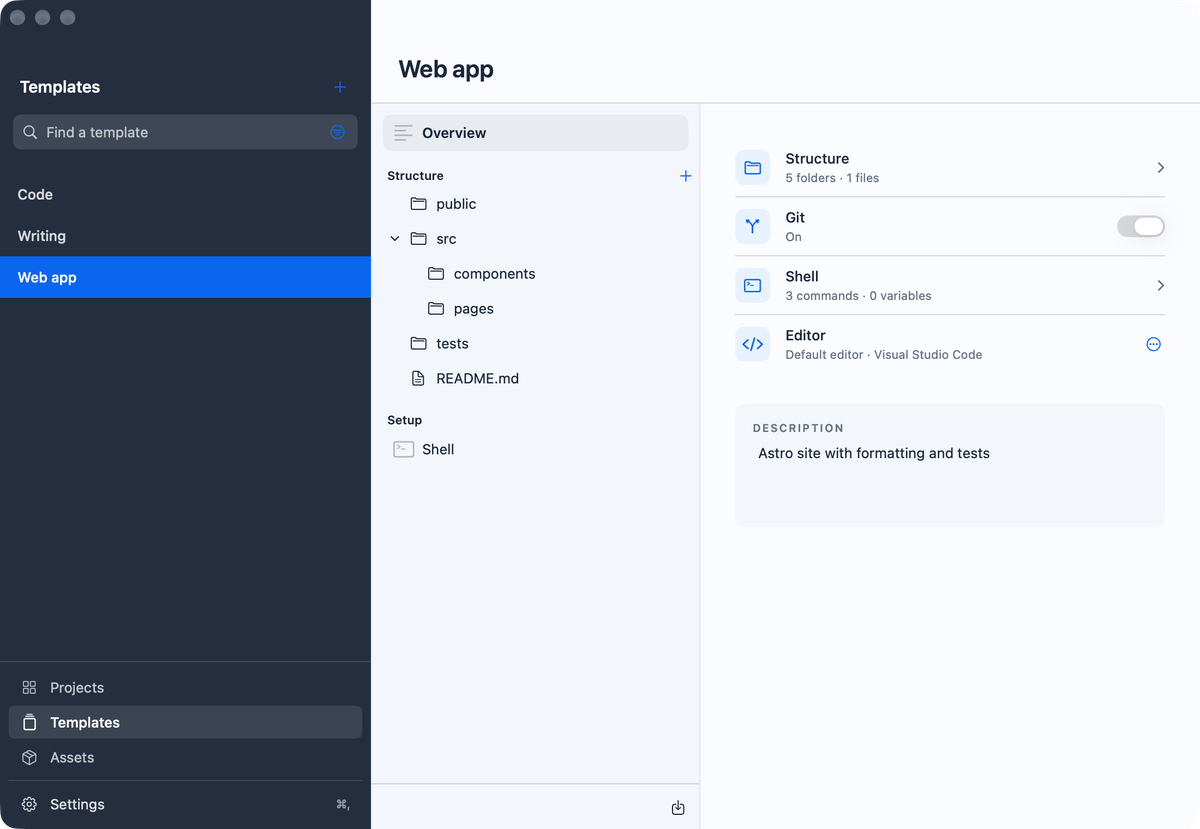
Templates are edited in the same window as everything else: structure, Git, setup commands and the editor a new project opens in, on one page.
Assets are the reusable building blocks: a .gitignore, a licence, editor settings, a data dictionary, a report style, instructions for an AI assistant, or a setup step such as registering a Jupyter kernel. Each exists once in your library. Every template that uses it gets the current version, and Add asset puts it into a project that is already running.
The best template often already exists as a project. Save as template turns a project's folder layout into a template for the next one, folders only, without the files and without what tools generate for themselves. A project made from a template offers to edit that template instead, so the recipe stays the single source.
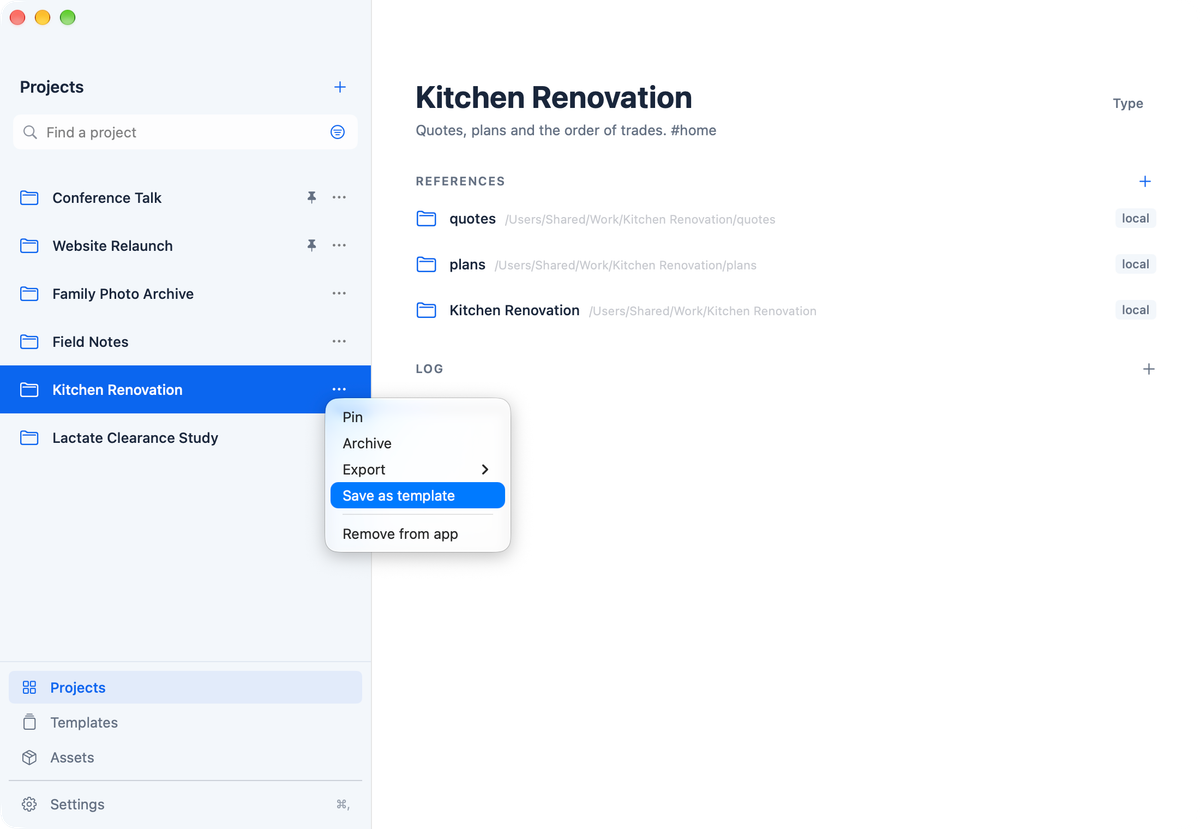
Templates and assets can also come from catalogs you follow, such as a GitHub repository or a shared folder of a group. You pick single items, updates arrive only when you ask, and you review them before they change your library. A command that came from outside runs only after you have seen it, and again after it changes.
Start with what you already have
The first minute is about the folders you already have. Drag them onto the project list, or add several at once, and each becomes a project. Drop a folder onto an existing project and it becomes one of its references. A folder that already belongs to a project does not become a second one.
Templates and AI
AI assistants can write much of a project's setup, and for a one-off that is often enough. A template is for the projects that should start the same way every time: in one step it creates the folder structure, adds the files and assets and runs the setup commands, so a new project is ready in seconds and set up exactly like the last one. Projects itself contains no AI.
What it is not
Projects is not a task manager, a file manager or a notes app, and it does not sync or share. It is for one person on one Mac. The app speaks English and German; templates and assets can be in either language.
Try it
Projects is in alpha. It works and I use it every day, but its look and behaviour may still change between versions. Your library is backed up daily, and your files are never moved, renamed or deleted. It needs macOS 27 and keeps itself up to date.
Download it from nikolasschrader.com/apps/projects. I'd like to hear what works and what doesn't: projects@nikolasschrader.com.